
Nomorobo Max
Telephone Science CorpCommunication
4.1199.00 Reviews
- Version
- 2.3.0
- Installs
- 50.00K
- Age Rating
- Everyone
Screenshots


Our Review of Nomorobo Max
 Analysis by Appyee
I approach call-screening apps with a practical question: will one reduce interruptions without making me miss an important call? Nomorobo Max is aimed at that everyday balance, bringing unwanted calls and text messages into focus rather than asking you to change how you use your phone. I’d consider it when spam has become a regular nuisance, but I’d still want to check how its controls fit my own calling habits before relying on it.
What to expect from a call and text filter
This is a communication app from Telephone Science Corp, built around identifying unwanted calls and messages. The appeal is straightforward: let the app handle some of the sorting, then give yourself a way to review what it has caught. That can be useful if unknown numbers interrupt work, family time, or the quiet moments when you don’t want to pick up every ring.
It’s worth keeping expectations realistic. A filtering app is a layer of help, not a promise that every nuisance will disappear or that every decision will be perfect. Callers can use new numbers, and a legitimate call may look unfamiliar. I treat any blocking tool as an aid to judgment, not as a reason to stop checking calls that matter.
Making the first setup less stressful
Before enabling call or message filtering, I’d take a moment to read each setup screen and understand what the app is asking to manage. The exact controls available can depend on the phone and its operating system, so I would follow the prompts shown on my own device instead of assuming every phone behaves the same way. If a permission or system setting is unclear, pausing to read it is better than tapping through just to finish quickly.
My practical first step would be to keep the initial setup simple: enable only the filtering options I actually want, then look around the app for its settings and any place to review blocked activity. I’d also check that numbers I rely on—such as a workplace, clinic, school, or delivery contact—are saved in the phone’s contacts where appropriate. That won’t answer every edge case, but it gives me a sensible starting point before I trust filtering with more of my day.
What a first useful result looks like
A meaningful first success doesn’t have to be dramatic. It might simply be getting through a stretch of focused work without stopping to investigate every unfamiliar ring, then checking the app afterward to see what it filtered. If you’re expecting a call from a new number, I’d be more cautious: keep an eye on the blocked activity and avoid assuming that an unknown caller must be spam.
That review step is the habit I’d recommend most. It turns filtering from a blind switch into a routine you can adjust: notice what the app has caught, confirm that nothing important appears to be missing, and change your approach if your own experience calls for it. The benefit is not just fewer interruptions; it’s having a clearer way to decide what deserves your attention.
Getting Started with Nomorobo Max
First off, downloading and setting up Nomorobo Max was a breeze. Available on both Android and iOS, it took just a couple of minutes to get everything up and running. The app guides you through a simple installation process, which includes granting the necessary permissions to manage calls and messages. It’s super intuitive, so even if you're not tech-savvy, you’ll have no trouble setting it up.
Features That Make a Difference
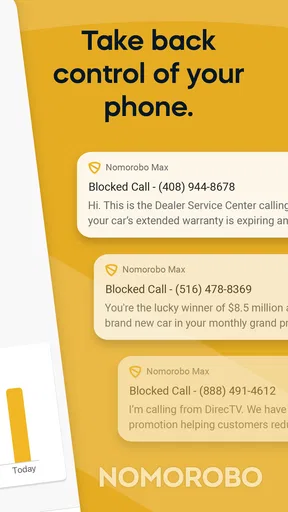
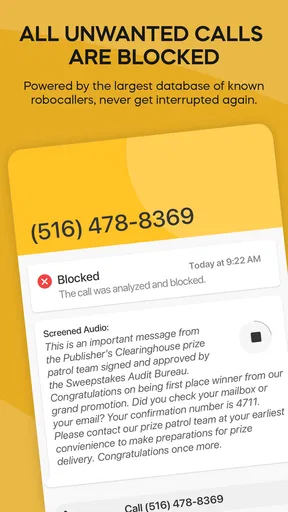
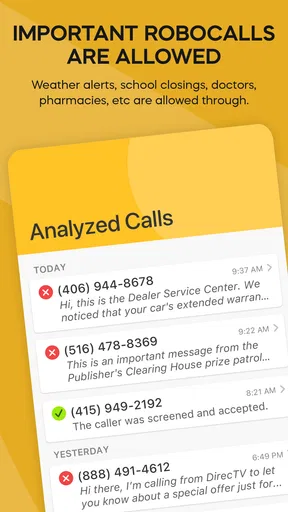
Now, onto the fun part—the features. What’s really cool about Nomorobo Max is its ability to automatically block unwanted calls before they even reach you. This means no more annoying interruptions during dinner or while binge-watching your favorite show. The app uses a vast database to identify and filter out robocalls and telemarketers, keeping your phone free from unwanted noise.
Another feature I found particularly useful is the app’s ability to block spam text messages. You know those random texts offering you deals you never asked for? Gone. With Nomorobo Max, they’re a thing of the past. The app also keeps a detailed log of all blocked calls and texts, which is great if you’re curious about what’s been filtered out.
Customization and User Experience
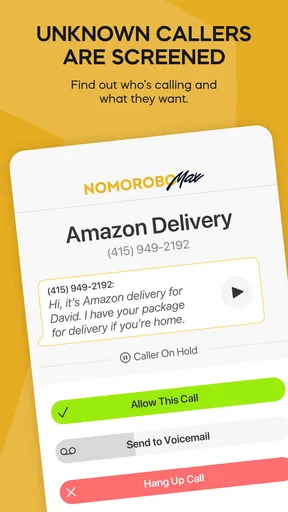
One thing that stands out with Nomorobo Max is the level of customization it offers. You can tweak the settings to allow certain calls to come through, even if they’re flagged as spam. This is super handy if you have a lot of unknown contacts that you actually want to hear from.
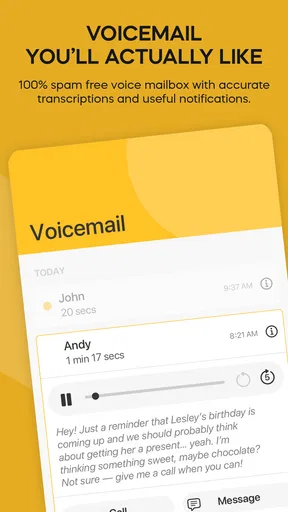
The user interface is sleek and straightforward. Everything is laid out in a way that makes sense, and the app doesn’t bombard you with unnecessary notifications. It operates quietly in the background, only alerting you when something requires your attention, which is exactly what you want from an app like this.
Performance and Reliability
In terms of performance, Nomorobo Max is top-notch. I’ve been using it for a couple of weeks now, and the app has proven to be reliable. It’s blocked dozens of spam calls, and I haven’t experienced any issues with legitimate calls being blocked. The app updates its database regularly, ensuring it remains effective against new spam tactics.
Battery usage is minimal too. It doesn’t drain your phone’s battery, which is always a concern with apps running in the background. I barely noticed any difference in my phone’s battery life after installing it.
Where it fits—and where it may not
I’d recommend this kind of filtering most readily to someone who receives repeated unsolicited calls or messages and is comfortable reviewing a log occasionally. It can also suit a shared household phone routine: if one person handles unknown calls, a quick review of filtered activity can help them explain why a call was missed. For someone who rarely receives spam, the extra setup and another app to maintain may offer little practical payoff.
There are situations where I’d choose a different approach. If you’re waiting for a time-sensitive call from a new doctor, employer, school, or service provider, temporarily taking a more cautious stance is sensible. The same goes for people whose work depends on answering unfamiliar numbers. A built-in phone filter or a less aggressive screening setup may be preferable if avoiding any chance of a missed legitimate call matters more than reducing interruptions.
Compared with relying only on a phone’s built-in spam controls, a dedicated app can give you a separate place to manage filtering and inspect what has been caught. The trade-off is that it adds another layer to your phone routine: you may need to review settings, keep your contact information sensible, and learn where filtered activity appears. I wouldn’t stack multiple call-blocking tools without a reason, because overlapping filters can make it harder to understand which one handled a call.
Small habits that make filtering more useful
One useful habit is to review blocked activity after a day when you are expecting an important callback, rather than waiting until you have already wondered why nobody called. If a legitimate number was caught, use the app’s available controls to make your preference clear, then check the relevant settings before the next expected call. I would not assume that saving a number in contacts automatically resolves every filtering decision; I’d verify how the app behaves on my own phone.
For text messages, I’d be especially careful with anything that looks like a delivery alert, account warning, or payment request. Filtering can reduce unwanted messages, but it doesn’t establish whether a message that reaches you is genuine. I avoid tapping a link just because a text sounds urgent; when a message claims to be from a service I use, I check through that service’s usual app or website instead. That’s a useful companion habit, not a feature claim about Nomorobo Max.
Another practical tip is to make changes one at a time. If you adjust several blocking options and then miss a call, it becomes difficult to tell which setting caused the problem. I’d change one preference, observe how calls and messages are handled, and then decide whether another adjustment is needed. That slower approach is less frustrating than repeatedly switching filters on and off without knowing what helped.
Cost, compatibility, and everyday expectations
The app is free to install, and it is rated for Everyone. Optional in-app purchases range from $4.99 to $79.99 per item, so I’d check the purchase details shown in the app before choosing anything paid. If all you want is to try the basic experience, start by exploring what is available without buying an add-on; consider spending only if a clearly described option addresses a need you actually have.
It was released on March 21, 2023, and version 1.8.0 lists Android 10 as its minimum operating system requirement. Those details matter if you’re setting it up on an older phone: check your device’s Android version before planning to use it. The app has a 4.1 average from around 880 ratings, with over 50,000 installs. I see that as a sign that people are using it, not as a guarantee that it will classify every call the way I would.
A realistic test is to install it when you have a normal, low-stakes day ahead—not right before an important interview or while waiting for an urgent callback. Let it handle routine interruptions, then check the activity it has filtered and decide whether the balance feels right. If it catches the nuisance calls you’re used to seeing and leaves your important contacts accessible, that’s a more useful measure than expecting a completely silent phone.
Final Thoughts
Overall, if you’re tired of robocalls and spam messages, Nomorobo Max is definitely worth checking out. It’s efficient, easy to use, and genuinely makes your phone experience more peaceful. Plus, with its customizable settings, it adapts to your needs without any hassle.
So, if you’re on the fence about downloading it, I say give it a shot. You might find yourself wondering how you ever lived without it. And hey, maybe it’ll finally give you the peace of mind to leave your phone on loud during dinner.
Verdict
Strengths of Nomorobo Max
- Blocks spam calls effectively.
- Easy to set up and use.
- Minimal battery consumption.
- Regular updates enhance features.
- Reliable customer support.
Limitations of Nomorobo Max
- Limited free features.
- Occasional false positives.
- Requires internet for full functionality.
- Some features are US-only.
- Subscription-based pricing.
Other Releases by Telephone Science Corp
View All
Nomorobo Basic Robocall Block
Communication3.6
Similar Picks in This Category
View All
Google Messages
Google LLC4.6

Gmail
Google LLC4.1

Google Meet
Google LLC4.4

Google Chrome
Google LLC4.1

WhatsApp Messenger
WhatsApp LLC4.6

Carrier Services
Google LLC4.2
Frequently Asked Questions
What is Nomorobo Max and how does it work?
Nomorobo Max is an advanced call-blocking application designed to prevent spam and robocalls on your smartphone. It utilizes a combination of real-time databases and artificial intelligence to identify and block unwanted calls before they reach you. This app offers a seamless experience by integrating with your phone's call log and contacts to ensure legitimate calls are not blocked.
Is Nomorobo Max available for both Android and iOS devices?
Yes, Nomorobo Max is available for download on both Android and iOS platforms. The app is designed to work efficiently across different devices, offering similar features and functionality to ensure a consistent user experience regardless of your smartphone operating system.
Does Nomorobo Max require a subscription or is it free to use?
Nomorobo Max offers both free and premium versions. The free version provides basic call-blocking features, while the premium subscription unlocks advanced capabilities such as enhanced spam protection and personalized blocking settings. Users can choose the version that best suits their needs and budget.
How does Nomorobo Max affect battery life and device performance?
Nomorobo Max is optimized to run efficiently in the background, minimizing its impact on battery life and device performance. The app uses minimal resources, ensuring that it doesn’t slow down your device or drain the battery excessively, allowing you to enjoy its benefits without compromising your phone’s performance.
Can Nomorobo Max block text message spam as well?
Yes, Nomorobo Max includes features to block spam text messages, in addition to robocalls. The app filters unwanted messages using a combination of user reports and known spam databases, helping to keep your messaging inbox clean and free from unsolicited texts.
